The best way to build a big app is to build a bunch of small apps.
That idea—separation of concerns—is one of those principles every engineering team agrees with in theory but struggles to maintain in practice. Logic bleeds across services. A routing change requires updates in three places. Nobody's quite sure where a particular rule lives or why.
We recently walked through a live demo of an insurance claims adjustment platform built on Xano to show how this principle works in practice—and what it looks like when you need to change business rules across a complex system without introducing downstream risk.
Here's how it played out.
The architecture: small apps, one platform
The application is broken into dedicated workspaces, each responsible for a distinct domain: customer claims, customer profiling and insights, escalation and payout, policy data, and rules and decisions. Each workspace contains its own tables, endpoints, and logic.
The point isn't just tidiness. When your logic is segmented this way, a large engineering team always knows where a particular table or endpoint lives and why. And when a change is needed—say, a new routing rule for a specific type of claim—you make that change in one place and understand exactly how it will cascade, instead of chasing down logic scattered across multiple services.
These workspaces still need to communicate, and they do. But the key data and decision logic is centralized where it matters, so you're not duplicating rules or managing conflicting sources of truth.
The scenario: Claim 99
The demo centers on a homeowner's insurance claim—claim 99—involving storm and roof damage. The system has auto-approval rules in place: claims under $5,000 with an active policy of more than a year and no fraud flag get approved automatically. Claim 99 doesn't qualify for auto-approval because it meets the damage threshold, so it requires manual review and escalation.
On the frontend—a dashboard pulling data from both Xano and Snowflake—an agent can see the claim details, its status, and its timeline. When they escalate, the backend handles everything: querying the centralized rules and decisions workspace, pulling relevant data from Snowflake, logging to Datadog for observability, and updating the claim accordingly.
But here's the business problem. Weather-related property claims like this one need to be routed differently—to a catastrophe review queue with urgent priority. That rule doesn't exist yet. Time to change it.
Building the change with AI
Xano is designed to work with any coding agent—Cursor, Codex, Claude Code, or whichever agent your team prefers. The Xano Developer MCP and CLI give agents structured context about your workspace—your schemas, endpoints, existing business logic, and the full set of platform capabilities—so what gets generated isn't just plausible, it's architecturally sound. For this demo, the rule change was built using Cursor. The prompt was straightforward: update the claim routing logic so that weather-related property claims route to catastrophe review with urgent priority.
Cursor generated the logic. But it didn't push it to production—and this is where things get interesting.
Sandbox environments: a true replica of prod
Any serious engineering team works with multiple environments. What Xano provides goes a step further. When a coding agent generates new logic, it pushes to an ephemeral sandbox environment that is an exact replica of your production environment at that moment. Same data, same logic, same artifacts. It's not a stripped-down testing environment—it's a full copy of prod, isolated so that nothing you do in the sandbox can touch what's live.
This means you can run the new logic, observe the results, and debug with full confidence that you're seeing exactly how it will behave in production. And it fits into the CI/CD workflows that large engineering teams already rely on—branches, diffs, review-and-merge, the whole pipeline.
Visual validation: checking AI's work
Inside the sandbox, the new routing logic is visible in two ways. There's the function stack—the raw logic that any developer can read and audit. And there's the canvas view, which represents the same logic visually: conditionals as branches, data retrieval as discrete steps, routing paths laid out so you can trace the flow.
The canvas view serves two purposes. First, it makes it faster for developers to check AI-generated logic. You can see at a glance whether the branching is correct, whether the right data is being pulled at the right time, and whether the routing paths make sense. This is called visual validation.
Second—and this is easy to underestimate—it lets you bring non-technical stakeholders into the conversation. If the routing change came from a Claims Manager, you can pull them in, walk through the canvas view together, and confirm the logic matches their intent before anything goes live. They don't need to read code. They can see the flow, ask questions about specific steps, and validate that the system will do what they expect.
Xano's enhanced descriptions feature makes this even smoother. If a stakeholder points to a step and asks what it does, you can surface a plain-English explanation of that step's purpose—no translation required.
Testing, diffing, and deploying
With the logic validated visually and the stakeholder satisfied, the next step is running the test. In the sandbox, Claim 99 is processed through the updated rules. The built-in debugging tool traces the execution path: variables created, conditionals checked, priority set to urgent, claim routed to catastrophe review for specialist assessment. It works.
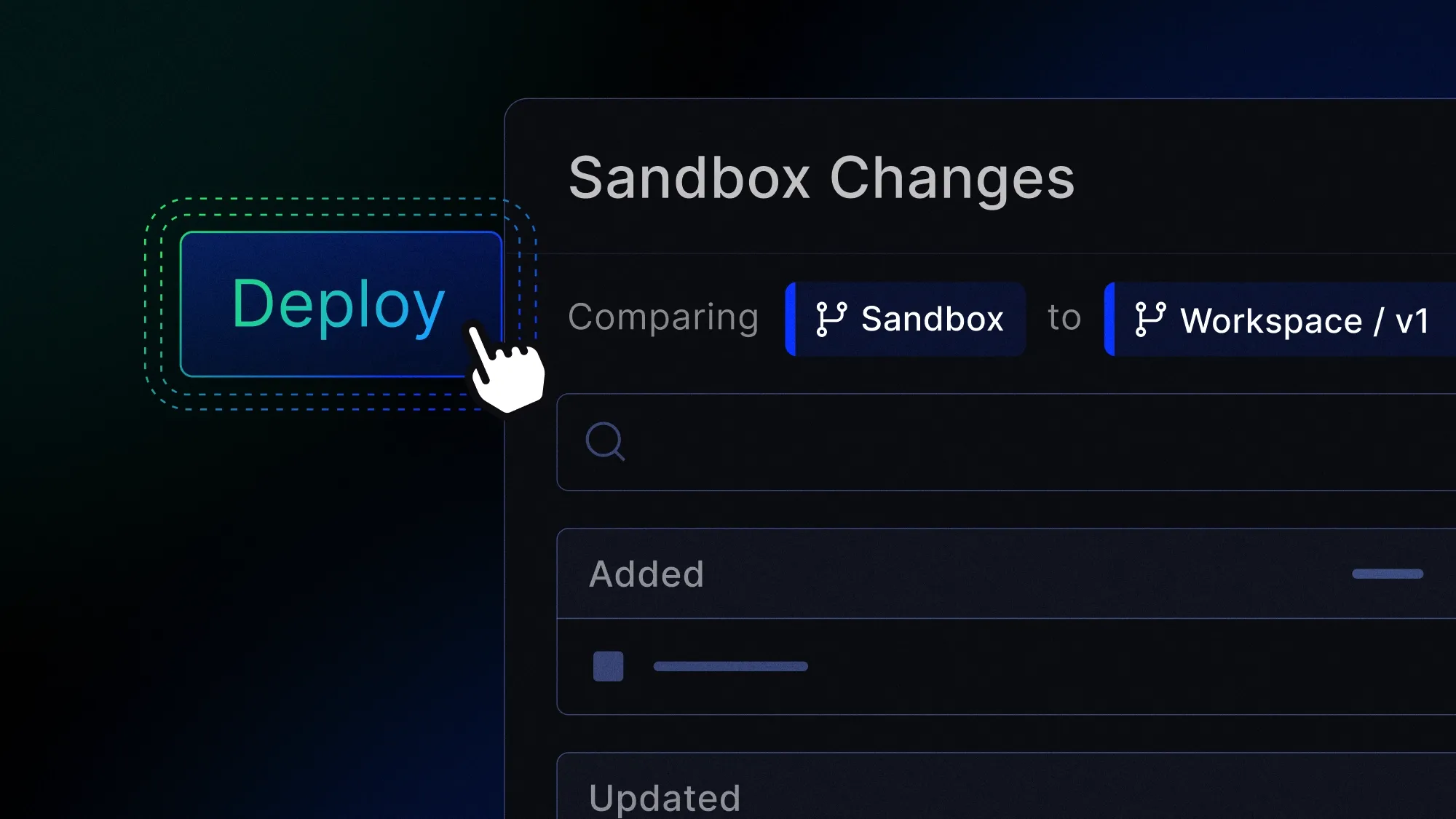
Now it's time to deploy. Xano's review-and-push flow shows a clear diff of what's changed—in this case, the weather-related routing rule in the rules and decisions workspace. One change, one place, affecting the entire application. The update is pushed to a v2 branch, then merged to v1—the branch the frontend is already pointing at. No frontend code changes. No additional backend modifications. The system picks up the new rule immediately.
Back on the frontend, the agent pulls up Claim 99, clicks escalate, and the claim routes to catastrophe review. The rule change is live.
What this adds up to
This demo wasn't about insurance specifically. It was about what it takes to build and maintain complex applications at scale—and how Xano's platform is designed to support that.
Workspace organization lets you tightly control your logic and make a change in one place that cascades cleanly, instead of hunting down and updating rules in multiple services.
Deep observability gives you visibility into exactly where an error is occurring so you can debug quickly, with logging that integrates into the tools your team already uses.
Visual validation through the canvas view lets developers check AI-generated logic efficiently while also bringing non-technical stakeholders into the loop—closing the gap between the people who define business rules and the people who implement them.
Sandbox environments give you the infrastructure you need to test AI-generated logic in a true replica of your production environment, without letting untested changes get anywhere near what's live.
The result is a platform where you can move fast, use AI to accelerate development, and still maintain the control and confidence that enterprise teams require.