AI agents can generate an entire backend in the time it takes to write a ticket, but it doesn’t mean it’s a backend you can trust. The failures in AI-generated backends are more subtle than syntax errors, because they’re usually based on failure points that are harder to catch, like business rules that don’t quite match (but almost match) what your team agreed to. And because the code is syntactically clean, these issues slip past the usual checkpoints.
This is the problem AI code governance exists to solve. And it's the reason we've built sandbox environments into the Xano CLI—a new structural layer that gives developers an isolated, ephemeral place to validate changes before anything touches a critical dev environment (let alone production).
Where the sandbox fits in Xano's governance model
A critical focus for Xano is making AI-generated code safe, and the sandbox is the infrastructure piece that completes the picture. Xano's governance model has three layers: standardized patterns (XanoScript channels AI output into consistent, enforced structures), visual validation (a human-readable logic layer for reviewing what was built), and agent-safe infrastructure (isolated environments for testing before deployment).
The Xano Developer MCP and CLI give AI agents rich context about your workspace and the ability to generate and push XanoScript. The sandbox adds a real, running environment where you can validate that AI-generated logic behaves correctly before promoting it to your workspace.
How it works
When you run workspace push, the CLI prompts you to use the sandbox workflow instead of pushing directly:
xano sandbox push pushes your local changes to an ephemeral sandbox environment, spun up automatically from the exact state of your workspace at push time.
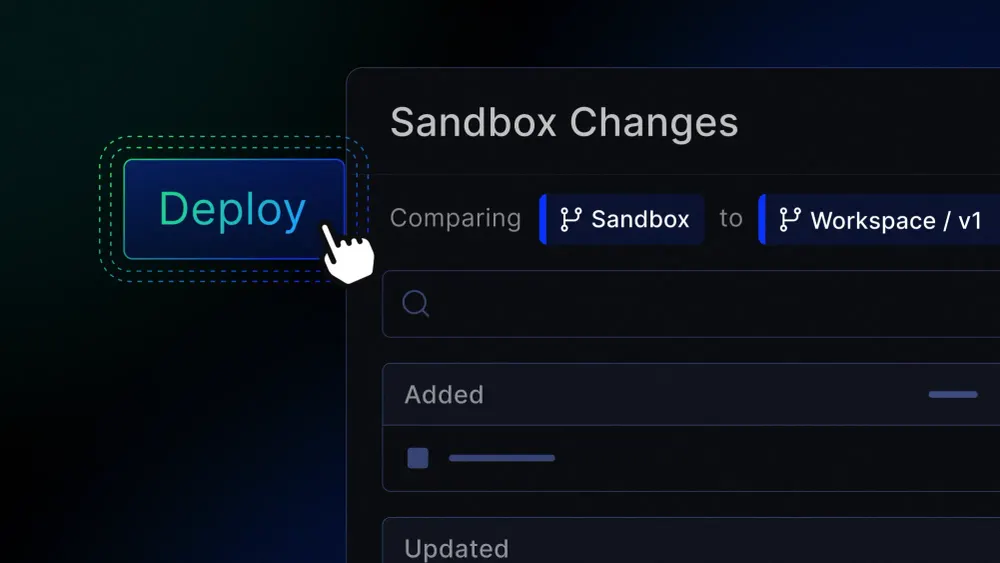
xano sandbox review opens a link where you can inspect the snapshot diff, edit logic visually, and run and debug against real execution paths before promoting changes.
What you’re getting here is more than a preview—it’s a running environment where you can trigger API calls via Run & Debug, inspect responses, validate edge cases, and confirm that what was generated matches what was intended. It’s one of the critical ways to close the governance gap between AI-generated output and production-ready software.
Once you're satisfied, the Review & Push flow promotes your changes to a workspace branch. From there, you set that branch to live or merge it into your existing live branch—a structured path from generation to deployment.
Environments time out after 2 hours (with a countdown warning at 15 minutes and the option to extend by 1 hour). Task scheduling and realtime are disabled inside the sandbox, but Run & Debug works for manual testing. And if your team has its own validation pipeline and wants to re-enable direct push, an admin can do so in Workspace settings or through the CLI.
How this helps organizations
The challenge teams face with AI-assisted development isn't generating code—it's governing what was generated. As we wrote about in our look at the governance gap in harness engineering, most organizations are producing AI code faster than they can review it. Push preview and git discipline are solid practices, but they were built for a world where humans wrote code in human-sized pull requests. When an AI agent generates hundreds of lines of logic in a single pass, you need a different kind of validation.
The sandbox gives every developer a real environment to test AI-generated logic against actual execution paths—without requiring manual staging setup or keeping a separate environment in sync. It directly addresses one of the most common vibe coding mistakes we see: pushing AI-generated code to production without enough human-in-the-loop validation.
Combined with XanoScript's standardized patterns and Xano's visual logic layer, the sandbox creates a governed path from prompt to production: generate, validate visually, test in isolation, promote through a structured review. It's a critical part of enterprise-grade CI/CD that engineering teams typically have to build and maintain themselves, but in Xano it’s available out of the box.
Something no other no-code backend offers
No other no-code backend platform provides an isolated development environment natively integrated into a CLI push workflow. The sandbox isn't a separate product you configure or a staging instance you have to keep in sync. It spins up from your workspace state, exists for validation, and feeds into a structured promotion path with full audit logging.
For teams evaluating the best backends for AI-generated apps, this is what separates a real development platform from a prototyping tool: not just the ability to build fast, but the infrastructure to trust what was built.
Whether you're a solo developer using the CLI with an AI agent or part of a team managing backend workflows across multiple contributors, the sandbox means you can keep moving fast—with the confidence that nothing reaches production until you've said it's ready.
Sandbox environments are available on paid plans. To learn more about the Xano CLI, check out our documentation.